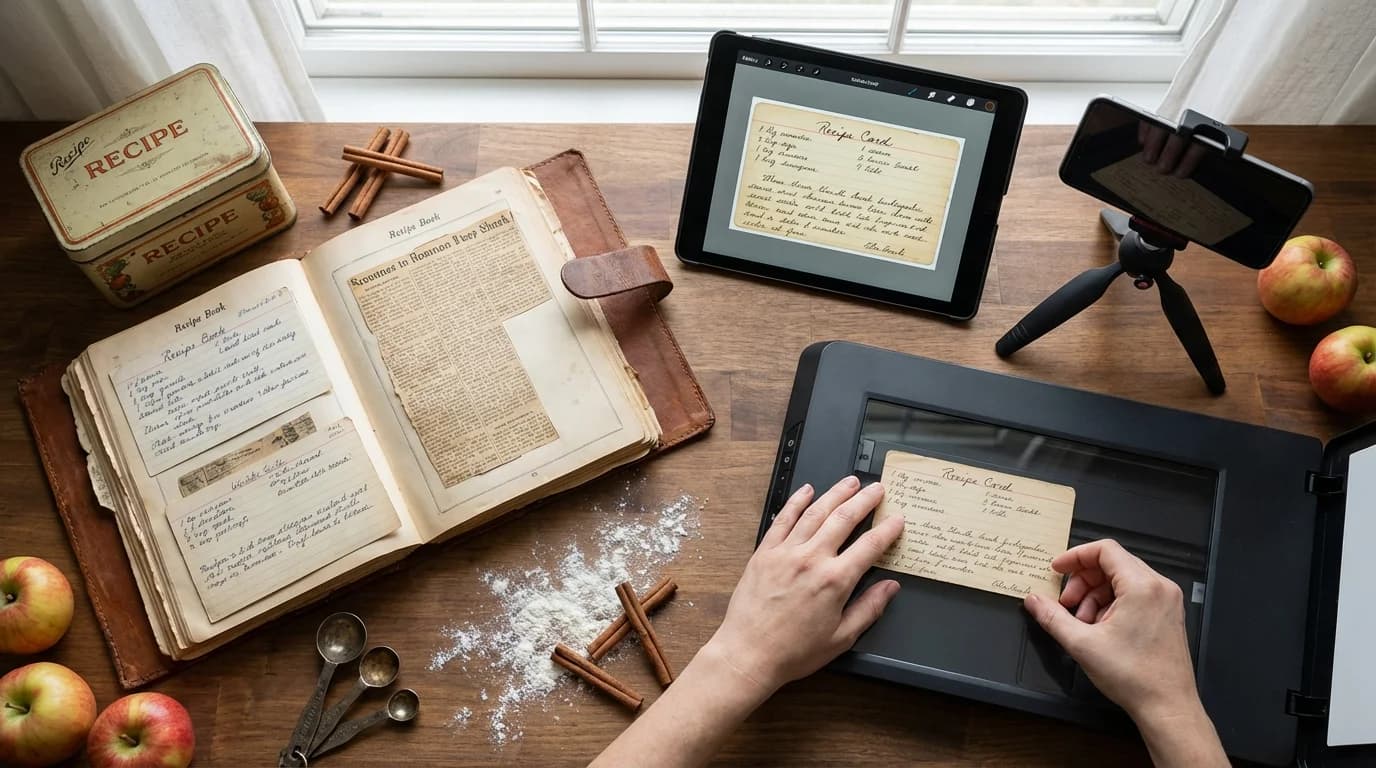
There's something magical about opening a worn recipe box and finding your grandmother's handwritten card for her famous apple pie. The smudges of flour, the faded ink, the notes scribbled in the margins—each tells a story. But what happens when these precious cards deteriorate, or worse, get lost?
Digitizing family recipes isn't just about preservation; it's about ensuring that future generations can recreate the dishes that defined your family gatherings. In this comprehensive guide, I'll walk you through everything you need to know to transform those fragile recipe cards into a digital legacy.
Why Digitize Your Family Recipes?
Before we dive into the how, let's talk about the why. Family recipes are more than instructions for making food—they're edible heirlooms that connect us to our past.
Protection Against Loss: Paper deteriorates, gets stained, or can be accidentally thrown away. A house fire, flood, or simple misplacement can erase decades of culinary history in an instant.
Easy Sharing: Digital recipes can be instantly shared with family members across the country or around the world. No more photocopying recipe cards or trying to decipher handwriting over the phone.
Searchability: When recipes are digital, you can instantly find "Aunt Marie's lasagna" instead of flipping through hundreds of cards.
Enhanced with Multimedia: Digital formats allow you to add photos, videos of cooking techniques, and even audio recordings of family members sharing memories about the dish.
Step 1: Gather and Organize Your Recipes
Start by collecting all your family recipes from various sources:
- Recipe boxes and card files
- Cookbooks with handwritten notes
- Loose papers tucked in drawers
- Recipe clippings from newspapers and magazines
- Digital photos of recipes shared by relatives
Sort them into categories that make sense for your family. This might be by meal type (appetizers, main dishes, desserts), by family member (Grandma's recipes, Mom's favorites), or by occasion (holiday recipes, everyday meals).
Step 2: Choose Your Digitization Method
Scanning Recipe Cards
For the best quality, use a flatbed scanner with these settings:
- Resolution: 300 DPI minimum (600 DPI for very detailed handwriting)
- Color mode: Color or grayscale to preserve the authentic look
- File format: JPEG for photos, PDF for documents you want to preserve exactly
Pro tip: If you're scanning dozens of recipes, invest in a document feeder scanner or use a scanning app on your smartphone. Apps like Microsoft Lens or Adobe Scan can automatically crop, adjust lighting, and save directly to cloud storage.
Photographing Recipes
If scanning isn't practical, high-quality photos work well:
- Use natural lighting near a window
- Place the recipe card on a neutral background
- Ensure the camera is directly above to avoid distortion
- Take multiple shots to ensure at least one is perfectly clear
Typing Out Recipes
For maximum usability, consider typing recipes into a digital format. This makes them:
- Fully searchable
- Easy to scale (adjust serving sizes)
- Compatible with recipe organization apps and meal planning tools
Step 3: Preserve the Story, Not Just the Recipe
This is where digitization becomes truly special. Don't just capture the ingredients and instructions—capture the context:
Add Notes About:
- Who created or passed down the recipe
- Special occasions when it was traditionally made
- Family members' favorite variations
- Funny stories or memories associated with the dish
- Why certain ingredients were used (substitutions due to availability, dietary preferences, etc.)
Consider Recording:
- Video of older relatives demonstrating their techniques
- Audio of them sharing stories about the recipe
- Photos of the finished dish from family gatherings
These contextual elements transform a recipe from a simple instruction set into a rich family narrative.
Step 4: Choose Your Digital Storage System
You have several options for storing your digitized recipes:
Cloud Storage
Services like Google Drive, Dropbox, or OneDrive offer:
- Automatic backup
- Access from any device
- Easy sharing with family members
- Searchable if you've typed out recipes
Create a clear folder structure like:
Family Recipes/
├── Grandma Smith/
│   ├── Desserts/
│   ├── Main Dishes/
│   └── Holiday Specials/
├── Mom's Kitchen/
└── Aunt Marie's Collection/
Recipe Management Apps
Platforms like myrecipe.app are specifically designed for recipe organization and offer features like:
- Automatic categorization and tagging
- Serving size adjustment
- Meal planning integration
- Private family collections for sharing recipes securely
- Search and filter by ingredient, cuisine, or cooking time
The advantage here is that recipes aren't just stored—they're organized in a way that makes them actually usable for daily cooking.
Personal Website or Blog
For families who want to create something special, consider building a family recipe website where you can:
- Organize recipes by category or family member
- Add photos and stories
- Allow family members to comment and share their own variations
- Create a beautiful digital cookbook that can be passed down
Step 5: Maintain Consistent Formatting
Whether you're typing recipes or adding metadata to scanned images, consistency makes your collection more valuable:
Standard Recipe Format:
- Recipe name and source (who it came from)
- Date the recipe originated (if known)
- Prep time, cook time, total time
- Servings/yield
- Ingredients list (with measurements in a consistent format)
- Step-by-step instructions
- Notes section for variations, tips, and stories
Naming Convention: Use clear, searchable names like "Grandma_Helen_Apple_Pie_1952.pdf" rather than "IMG_1234.jpg"
Step 6: Back Up Everything
The whole point of digitization is preservation, so don't put all your eggs in one basket:
Follow the 3-2-1 Rule:
- 3 copies of your recipes
- 2 different types of storage media (cloud + external hard drive, for example)
- 1 copy stored off-site (cloud storage counts for this)
Set up automatic backups if possible. Most cloud services do this by default, but if you're storing recipes locally, schedule regular backups to an external drive.
Step 7: Share with Family Members
Once your recipes are digitized, sharing becomes easy:
Create Family Collections: Use platforms like myrecipe.app that allow you to create shared family collections where everyone can access, contribute, and comment on recipes.
Regular Updates: Set a family tradition of adding new recipes during holidays or family reunions. Make it a collaborative effort where different family members are responsible for digitizing recipes from their branch of the family tree.
Print on Demand: Even though your recipes are digital, you can create beautiful printed cookbooks for special occasions using services like Blurb or Shutterfly. A printed family cookbook makes an incredible wedding or graduation gift.
Special Considerations for Handwritten Recipes
Handwritten recipes have extra sentimental value. Here's how to preserve them properly:
Keep the Original Scan: Always save a high-quality scan of the original handwritten recipe, even if you also type it out. The handwriting itself is part of the heritage.
Transcribe Accurately: When typing out handwritten recipes, preserve quirky language, unusual measurements (a "dash" or "pinch"), and original terminology. Add modern equivalents in brackets if needed: "1 teacup [about 1 cup]"
Preserve the Imperfections: Don't "fix" recipes that seem unusual. That recipe calling for an odd ingredient or method might be what makes it special. Add a note explaining any updates you've made.
Tools and Resources
Scanning Apps:
- Microsoft Lens (free, iOS and Android)
- Adobe Scan (free, iOS and Android)
- Genius Scan (free with premium features)
Recipe Organization:
- myrecipe.app - Modern recipe organization with family sharing features
- Google Drive - Simple cloud storage
- Evernote - Good for recipes with lots of notes
Photo Editing:
- Google Photos - Auto-enhances scanned images
- Photoshop or GIMP - For more control over image quality
- Paint.NET - Free, user-friendly option
Common Challenges and Solutions
Problem: Handwriting is difficult to read Solution: Ask older family members to help decipher while they're still able. Use the notes section to add typed translations.
Problem: Recipe cards are stained or damaged Solution: Scan them as-is to preserve authenticity, but also create a cleaned-up typed version for practical use.
Problem: Multiple versions of the "same" recipe exist Solution: Save all versions and note the differences. These variations tell their own story about how recipes evolved through generations.
Problem: No one knows whose recipe it is Solution: Create an "Unknown Origins" category and add any information you do have. Future research or discussions might reveal the source.
Creating a Legacy Project
Consider taking your digitization project a step further by creating a complete family culinary history:
- Interview family members about food memories and traditions
- Research the cultural or regional origins of family recipes
- Create a timeline showing how recipes have evolved
- Include historical context (what was happening in the world when this recipe was popular?)
- Photograph the process of making signature dishes
- Record family members cooking and sharing their techniques
This transforms your recipe collection into a genuine family archive that future generations will treasure.
Making It a Family Tradition
The best recipe preservation projects are ongoing rather than one-time efforts:
- Annual Review: Each year, set aside time to add new recipes, update notes, and ensure backups are current
- Family Recipe Exchange: Host an annual event where family members share recipes and stories
- Next Generation Training: Teach younger family members both the recipes and the digitization process so they can continue the tradition
- Contribution System: Set up a simple way for family members to submit new recipes or updated notes on existing ones
Using a platform like myrecipe.app, you can create a living, growing collection where family members can add recipes, share photos of their cooking results, and keep the conversation going around your family's food traditions.
Conclusion
Digitizing family recipes is an act of love that extends across generations. It's about preserving not just the instructions for making Grandma's cookies, but the stories, traditions, and connections that make those cookies meaningful.
Start small if the task feels overwhelming—maybe with just your top 10 favorite family recipes. Once you establish your system and see how valuable it is, you'll be motivated to continue.
Your family's culinary heritage is worth preserving. Every recipe tells a story, and by digitizing them, you ensure those stories continue to be told around dinner tables for generations to come.
Ready to start preserving your family recipes? Try myrecipe.app for free and create your own digital family cookbook today. Your future grandchildren will thank you.
About myrecipe
myrecipe helps families save, organize, and share their favorite recipes in one place. Plan meals, create shopping lists, and preserve your culinary traditions.
Start Organizing Recipes