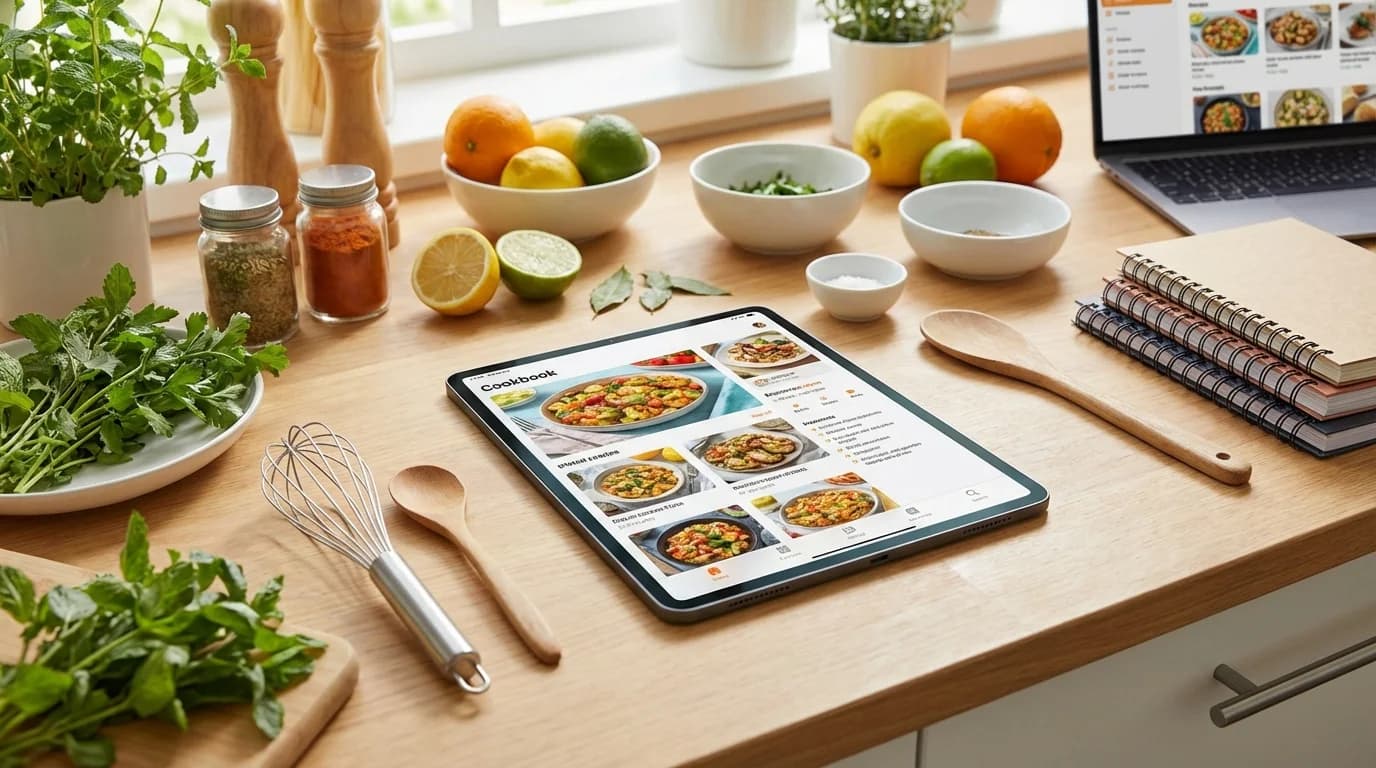
Five years ago, I had recipes everywhere: bookmarked websites, screenshots on my phone, recipe cards in drawers, printouts shoved in binders, and sticky notes on my fridge. Finding a specific recipe was a nightmare, and I constantly made the same few dishes because actually locating something new was too much work.
Then I created my first digital cookbook. Everything changed. Suddenly I could search by ingredient ("what can I make with chicken and lemon?"), filter by cooking time, access recipes from my phone while shopping, and share favorites with family instantly. My cooking became more varied, more organized, and honestly, more enjoyable.
Creating a digital cookbook is easier than you think, and the benefits are transformative. Whether you're organizing family heirlooms, building a personal collection, or creating something to share, this guide will show you exactly how to build a digital cookbook that works for your life.
Why Choose a Digital Cookbook?
Let's talk about the advantages that make digital cookbooks so powerful.
Practical Benefits
Instant Search: Type "chocolate" and find every chocolate recipe in seconds, no flipping through pages.
Access Anywhere: Cook from your phone, tablet, or computer—recipes follow you everywhere.
Easy Updates: Add notes, modify recipes, upload new dishes without reprinting or rewriting.
Scalability: Automatically double or halve recipes with one click.
Space-Saving: Hundreds of recipes take zero physical space.
Never Lose Recipes: Cloud backup means recipes can't be lost, damaged, or destroyed.
Multimedia Rich: Include photos, videos, and even audio recordings alongside recipes.
Shareable: Send recipes to family and friends instantly, create collaborative collections.
Organization Benefits
Advanced Filtering:
- By ingredient (find recipes using what you have)
- By dietary restriction (vegetarian, gluten-free, etc.)
- By cooking time (quick weeknight vs. weekend project)
- By difficulty level
- By cuisine or category
- By rating or favorites
Smart Features:
- Automatic grocery lists from recipes
- Meal planning integration
- Nutritional information
- Serving size calculator
- Cooking timers
- Step-by-step mode for hands-free cooking
Cross-Referencing:
- Tag recipes multiple ways
- Create collections and sub-collections
- Link related recipes
- Build menu plans
Choosing Your Digital Cookbook Platform
The platform you choose determines what's possible. Let's explore your options.
Recipe Management Apps (Recommended)
myrecipe.app (Our recommendation):
- Pros: Built specifically for recipes, family sharing, private collections, searchable, accessible from any device, includes meal planning
- Cons: Requires internet for full features
- Best for: Serious cooks, families, anyone wanting comprehensive features
- Pricing: Free tier available, premium features for advanced users
Paprika:
- Pros: One-time purchase, works offline, cross-platform, recipe importer
- Cons: No web version, less collaborative
- Best for: Individual users who want offline access
- Pricing: $4.99 per platform (buy once)
Mela:
- Pros: Beautiful interface, excellent recipe import, sync across Apple devices
- Cons: Apple ecosystem only
- Best for: Apple users who value design
- Pricing: Free with premium subscription
Copy Me That:
- Pros: Simple, free tier, good recipe clipper
- Cons: Limited features on free plan
- Best for: Beginners, casual cooks
- Pricing: Free with premium option
Cloud Storage Solutions
Google Drive/Docs:
- Pros: Free, collaborative, accessible anywhere, familiar interface
- Cons: No recipe-specific features, requires manual organization
- Best for: Simple collections, budget-conscious users
- Setup: Create folders by category, use Docs for recipe text, Drive for photos
Notion:
- Pros: Extremely flexible, beautiful layouts, free tier
- Cons: Learning curve, not optimized for cooking use
- Best for: Organized people who like customization
- Setup: Create database with recipe properties, views, and filters
Evernote:
- Pros: Strong search, web clipper, multimedia support
- Cons: Free tier limited, not recipe-specific
- Best for: Note-takers who want to include recipes
- Pricing: Free tier, premium for full features
Website/Blog Options
WordPress:
- Pros: Full control, can monetize, professional appearance
- Cons: Requires hosting ($), maintenance, tech knowledge
- Best for: Bloggers, public-facing cookbooks
- Plugins: WP Recipe Maker, Tasty Recipes
Squarespace/Wix:
- Pros: Beautiful templates, easy setup, hosting included
- Cons: Monthly cost, less flexibility
- Best for: Visual cookbooks, sharing with extended family
- Pricing: $12-40/month
Spreadsheet Approach
Google Sheets/Excel:
- Pros: Free, highly customizable, powerful filtering
- Cons: Not visually appealing, manual entry intensive
- Best for: Data-oriented users, large collections needing complex organization
- Setup: Columns for recipe name, ingredients, instructions, category, tags, etc.
Our Recommendation
For most people, recipe management apps offer the best balance of features, usability, and value. Platforms like myrecipe.app are built specifically for recipes, offering features you'd have to cobble together yourself with other solutions.
Use cloud storage or websites for specific needs (public sharing, budget constraints), but start with a recipe-specific platform if possible.
Setting Up Your Digital Cookbook
Regardless of platform, follow these steps for success.
Step 1: Define Your Structure
Decide on Primary Organization:
- Category-based (Appetizers, Mains, Desserts, etc.)
- Occasion-based (Weeknight, Holiday, Party, etc.)
- Source-based (Family recipes, Personal favorites, Website finds, etc.)
- Hybrid (multiple organizational layers)
Plan Your Categories: Common structure:
- Breakfast & Brunch
- Appetizers & Snacks
- Soups & Salads
- Main Dishes
  - Chicken
  - Beef
  - Pork
  - Seafood
  - Vegetarian
- Side Dishes
- Breads & Baking
- Desserts
  - Cakes
  - Cookies
  - Pies
  - Other
- Beverages
- Sauces & Condiments
Create Tagging Strategy: Beyond categories, plan tags for:
- Dietary needs (vegetarian, vegan, gluten-free, dairy-free, keto, etc.)
- Cooking method (slow cooker, instant pot, grilled, baked, no-cook)
- Time (under 30 minutes, quick, all-day project)
- Season (summer, fall, winter, spring)
- Occasion (holiday, potluck, date night, kid-friendly)
- Cuisine (Italian, Mexican, Thai, Southern, etc.)
- Skill level (easy, moderate, advanced)
Step 2: Create a Recipe Template
Consistency makes your cookbook more usable.
Essential Fields:
- Recipe Title
- Description (1-2 sentences about the dish)
- Category/Tags
- Source (where recipe came from)
- Servings/Yield
- Prep Time
- Cook Time
- Total Time
- Ingredients (with precise measurements)
- Instructions (numbered steps)
- Notes
Valuable Optional Fields:
- Difficulty rating
- Photos (finished dish, process shots)
- Nutritional information
- Storage instructions
- Make-ahead tips
- Substitution suggestions
- Equipment needed
- Personal rating or family favorites
- Date added
- Times you've made it
- Comments/feedback
Example Recipe Format:
Title: Grandma's Apple Pie

Description: Classic double-crust apple pie with cinnamon and brown sugar, perfect for fall gatherings.

Category: Desserts > Pies
Tags: Holiday, Fall, Family Recipe, Baking
Source: Grandma Helen
Servings: 8 slices
Prep: 30 min | Cook: 50 min | Total: 1 hr 20 min

INGREDIENTS:
[List with checkboxes for marking off]

INSTRUCTIONS:
1. [Numbered steps]
2.
3.

NOTES:
- Granny Smith apples work best
- Can be frozen unbaked
- Serve warm with vanilla ice cream
Step 3: Start Adding Recipes
Prioritization Strategy: Don't try to add everything at once. Start with:
- Most-used recipes (your regular rotation)
- Family heirlooms (irreplaceable, need preservation)
- Favorites (dishes you make for special occasions)
- Seasonal relevance (upcoming holiday recipes)
- Everything else (add gradually)
Batch Processing:
- Set aside dedicated time (not while cooking)
- Group similar recipes (all desserts, all chicken recipes, etc.)
- Aim for 5-10 recipes per session
- Quality over speed—better to do fewer well
Import Methods:
From Websites: Most recipe apps have browser extensions or bookmarklets:
- Click "save recipe" while browsing
- App automatically extracts ingredients, instructions, photos
- Review and edit for accuracy
- Add to appropriate categories
From Photos/Cards:
- Photograph recipe cards clearly
- Attach photo to digital recipe
- Type out ingredients and instructions
- Keep photo linked for reference
From Cookbooks:
- Type manually or use OCR apps
- Note cookbook as source
- Include page number for reference
- Don't copy copyrighted material publicly
From Memory/Family:
- Write as you cook or interview family member
- Test recipe first to verify measurements
- Include stories and context
- Note any variations
Step 4: Enhance with Media
Photography Tips:
Finished Dish Photos:
- Natural light (near window)
- Simple background (neutral plate, wooden table)
- Shoot from slight angle (more appealing than straight overhead)
- Include props sparingly (ingredients, utensils, linens)
- Edit for brightness and color
Process Photos:
- Key steps that need visual clarification
- Techniques that are hard to describe
- Doneness indicators (what "golden brown" looks like)
- Assembly stages
Original Recipe Cards: For family recipes:
- Photograph original handwritten card
- Attach to digital version
- Preserves sentimental value
- Helpful for verifying unclear text
Videos: Consider for:
- Complex techniques
- Family members demonstrating their specialties
- Step-by-step processes
- Keep videos short (under 2 minutes per step)
Advanced Organization Techniques
Collections and Subcollections
Create Themed Collections:
- "Weekly Rotation" (your go-to meals)
- "Meal Prep Friendly"
- "Quick Weeknight Dinners"
- "Grandma's Recipes"
- "Holiday Favorites"
- "To Try" (recipes you haven't made yet)
- "Summer BBQ"
- "Instant Pot Recipes"
Smart Collections (if your platform supports):
- Automatically populated based on criteria
- Example: "Quick Vegetarian" = vegetarian tag + under 30 min
- Updates automatically as you add recipes
Rating and Review System
Track What Works:
- Star rating (1-5)
- Family favorite checkbox
- "Would make again" vs. "One time was enough"
- Notes on modifications that worked
- Photos of your results vs. original
Usage Tracking:
- Date last made
- Number of times made
- Success rate (good batch vs. didn't turn out)
- Family feedback
Meal Planning Integration
Use Your Digital Cookbook for Planning:
- Drag recipes to calendar days
- Auto-generate grocery lists
- Balance nutrition across week
- Ensure variety (not chicken every night!)
- Plan for leftovers
Shopping List Features:
- Automatic list from selected recipes
- Combine duplicate ingredients
- Organize by store section
- Check off while shopping
- Sync across devices
Sharing Your Digital Cookbook
One of digital's biggest advantages is easy sharing.
Family Sharing
Private Family Collections:
- Create shared cookbook within myrecipe.app
- Invite family members
- Everyone can view, comment, add recipes
- Perfect for distributed families
- Preserves recipes across generations
Permissions Levels:
- View only (can see, can't edit)
- Can add (contributes new recipes)
- Can edit (modifies existing recipes)
- Admin (full control)
Public Sharing
Recipe Blog/Website:
- Share favorite recipes publicly
- Build community
- Potential income (ads, affiliates)
- Requires more maintenance
Social Media:
- Share individual recipes
- Link back to full digital cookbook
- Build following
- Great for niche cuisines or diets
PDF Export:
- Create downloadable cookbook PDFs
- Share via email
- Can be printed
- Give as gifts
Printed Versions: Even digital cookbooks can become physical:
- Export and print through Blurb, Shutterfly, etc.
- Best of both worlds: digital for daily use, printed for gifts
- Update digital version, print new edition when desired
Maintaining Your Digital Cookbook
A digital cookbook is a living document.
Regular Updates
After Each Cooking Session:
- Add notes about how it turned out
- Upload photo of your result
- Note any modifications you made
- Rate the recipe
Weekly (5 minutes):
- Add any new recipes discovered
- Update meal plan for coming week
- Generate shopping list
Monthly (30 minutes):
- Review "To Try" collection, delete ones you've lost interest in
- Move tried recipes to permanent categories
- Update seasonal favorites
- Backup if not automatic
Quarterly (1 hour):
- Review organization system (still working?)
- Clean up unused tags
- Remove recipes that didn't work
- Add missing photos or information
- Update family members on new additions
Backup and Security
Automatic Backup: Most cloud-based platforms backup automatically, but verify:
- Check backup settings
- Ensure account has password recovery options
- Consider exporting periodically
Manual Backup: For important family recipes:
- Export to PDF or text files
- Save to separate cloud service
- Keep offline copy on external drive
- Share copies with family members
Privacy Settings:
- Keep family recipes private if desired
- Review sharing settings regularly
- Be cautious with copyrighted recipe sources
- Respect recipe creators' wishes about sharing
Special Types of Digital Cookbooks
Family Heritage Cookbook
Focus on:
- Preserving heirloom recipes
- Including photos of original cards
- Recording stories and memories
- Multi-generational collaboration
- Cultural and historical context
Platform needs:
- Photo attachment capability
- Rich text for stories
- Family sharing features
- Long-term reliability
Meal Prep Cookbook
Focus on:
- Batch cooking recipes
- Freezer-friendly dishes
- Reheating instructions
- Portion sizing
- Weekly rotation planning
Organization:
- By protein (chicken meal prep, beef meal prep)
- By diet (keto meal prep, vegetarian meal prep)
- By container type
- By reheating method
Dietary-Specific Cookbook
For managing:
- Food allergies (gluten-free, nut-free, etc.)
- Health conditions (diabetic, low-sodium, etc.)
- Lifestyle choices (vegan, keto, paleo, etc.)
- Multiple dietary needs in one household
Critical features:
- Detailed ingredient lists
- Substitution suggestions
- Nutritional information
- Allergen warnings
- Easy filtering and searching
Seasonal/Holiday Cookbook
Organized by:
- Specific holidays (Thanksgiving, Christmas, Passover, etc.)
- Seasons (summer grilling, fall comfort food, etc.)
- Special occasions (birthdays, anniversaries, etc.)
Include:
- Menu planning ideas
- Timeline for prep (what can be made ahead)
- Serving suggestions
- Traditional significance
Common Challenges and Solutions
Challenge: Too many recipes to input
Solution:
- Start with most-used/most-important
- Add 5-10 per week consistently
- Use recipe importers for websites
- Accept it's ongoing, not one-time project
Challenge: Recipe format inconsistencies
Solution:
- Create template, stick to it
- Go back and update old entries when you use them
- Batch-edit similar recipes
Challenge: Can't find recipes when cooking
Solution:
- Use consistent, searchable naming
- Tag thoroughly
- Create "favorites" or "frequently made" collection
- Use search function effectively
Challenge: Family won't use digital version
Solution:
- Print individual recipes for them
- Create hybrid system (digital + printed cookbook)
- Show them how easy it is
- Respect their preferences while maintaining your system
Challenge: Lost recipes when switching platforms
Solution:
- Always export regularly
- Choose platforms with good export options
- Keep recipes in standard formats
- Have backup before switching
Getting Started This Week
Don't let perfection paralyze you. Begin now with these steps:
Day 1: Choose your platform
- Try myrecipe.app free trial
- Or set up free option (Google Drive, Notion, etc.)
- Create account and familiarize yourself
Day 2: Set up structure
- Create main categories
- Define tagging system
- Build recipe template
Day 3-7: Add first 10 recipes
- Focus on most-used recipes
- Practice your system
- Adjust template as needed
Week 2: Refine and expand
- Add 5-10 more recipes
- Start using cookbook for meal planning
- Get comfortable with search and filtering
Month 2+: Build consistently
- Regular addition of new recipes
- Update with notes as you cook
- Share with family
- Enjoy the benefits!
The Transformation
Creating a digital cookbook changed my cooking life. What used to be scattered and stressful became organized and enjoyable. I cook more variety, waste less food, share recipes easily with family, and never panic about losing a precious family recipe again.
Your digital cookbook can be simple or sophisticated, private or shared, focused or comprehensive. What matters is creating a system that works for your life and actually using it.
The best time to start was years ago. The second-best time is today.
Ready to create your digital cookbook? Try myrecipe.app for free and experience how easy it is to organize, preserve, and share your recipes in a beautiful, searchable digital format.
About myrecipe
myrecipe helps families save, organize, and share their favorite recipes in one place. Plan meals, create shopping lists, and preserve your culinary traditions.
Start Organizing Recipes